Your AI Agent Can Now Find AWS Savings. CloudFix Speaks MCP.

Most companies overpay for AWS by 20-35%. Not because AWS is expensive, but because cloud spending is complex. There are too many services, too many configuration options, and too few engineers with time to audit all of it.
AI agents are supposed to help with this. But until now, connecting an agent to your AWS cost data meant building custom integrations, wrestling with the Cost Explorer API, and then somehow turning raw billing data into actual fixes.
Today CloudFix ships its MCP server. Your AI agent can now query validated AWS cost savings recommendations directly. No integration code. No middleware. Just ask.
The Problem with Cost Data
MCP is the right protocol for connecting AI agents to cost data. Several cost tools have already added MCP servers, and that’s good for the ecosystem.
But MCP is a thin protocol. It exposes whatever sits behind it. And most cost tools give your agent a lens on spend data: cost reports, dashboards, anomaly alerts, showback breakdowns.
That’s visibility. Useful. Also about 10% of the job.
The other 90% is figuring out what to actually change. Which GP2 volume needs to become GP3. Which EC2 instance has been running at 3% CPU for two weeks. Which S3 bucket has no lifecycle policy and is growing unchecked. Which RDS snapshot is three months old and nobody will notice if you delete it.
Raw spend data doesn’t answer those questions. You need someone who has already done the analysis.
What Your Agent Gets From CloudFix
CloudFix has already done that work. Behind the MCP server are over 100 finders that have analyzed your AWS infrastructure, validated each recommendation against your actual utilization data, and attached dollar amounts and evidence to every finding.
Every recommendation comes with a validation chain: the metrics, the thresholds, the pass/fail results, the before/after comparison, the exact dollar savings. Your agent does not have to figure any of that out. It just queries the answer.
Other MCP servers let your agent read your bill. CloudFix lets your agent read the fix list.
Connect your AWS account. Get your API key. Ask your agent.
30 days free. Read-only IAM role. No credit card.
Five Tools
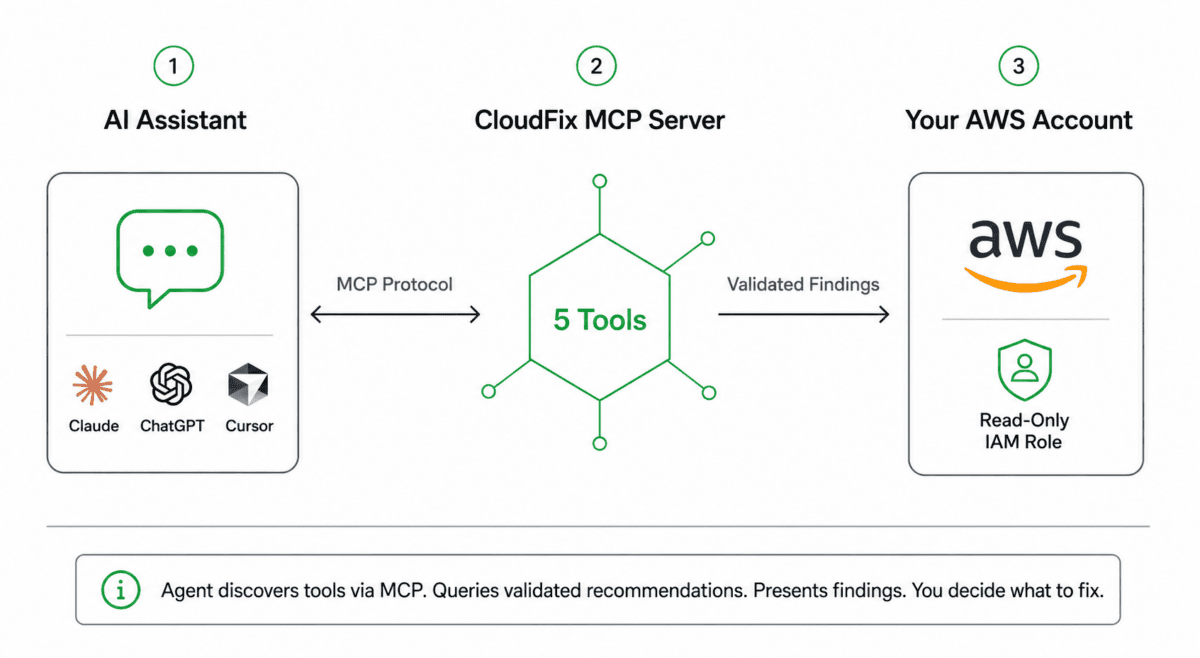
The MCP server exposes five tools:
- list_recommendations: Paginated, filterable by finder type, status, account, region, and date range. Sort by savings. Concise by default, verbose when you need the full picture.
- get_recommendation_details: Full resource metadata, parameters, estimated annual savings, and remediation context for any specific recommendation.
- get_resource_validations: The complete validation chain showing every metric, threshold, and pass/fail result that led to the recommendation. Evidence, not just the verdict.
- get_recommendation_report: The finder-generated analysis with detailed comparisons, before/after projections, and remediation guidance.
- get_recommendations_summary: Aggregated savings broken down by finder type. See where the money is across EC2, S3, RDS, EBS, and every other service.
Five is enough because the work has already been done. The finders have run. The validations have passed. The savings have been calculated.
The Conversations You Can Now Have
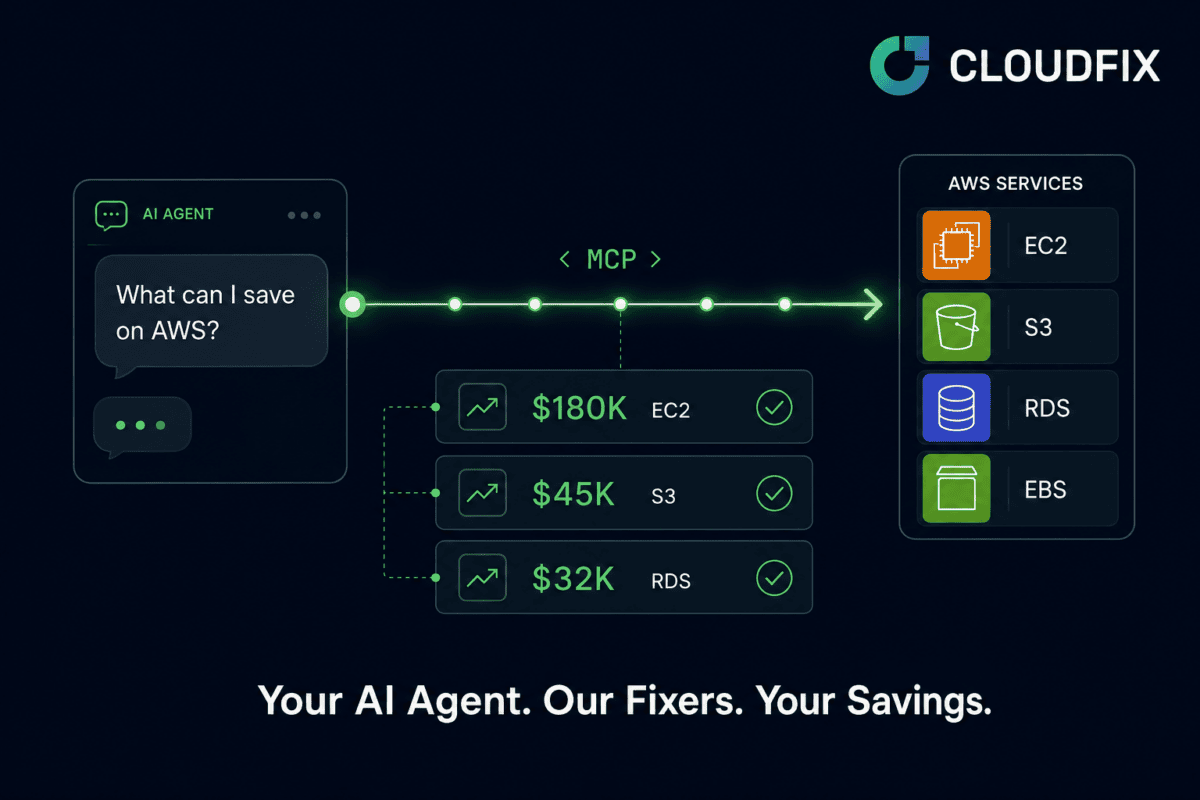
Monday morning: “What happened to my AWS bill over the weekend?” Your agent calls get_recommendations_summary and reports: $180K in EC2 opportunities (32 resources), $45K in S3 (18 resources), $32K in RDS (8 resources). Total potential: $257K annually.
Incident investigation: “Why was i-0abc123 flagged for rightsizing?” Your agent calls get_resource_validations and walks through the evidence: Average CPU over 14 days: 3.2% (threshold 10%). Memory utilization: 8.1% (threshold 15%). Network I/O: below minimum. Safe to downgrade from m5.2xlarge to m5.large. Savings: $4,200/year.
Team standup: “Show me everything CloudFix found in production this week.” Your agent calls list_recommendations filtered by production account IDs and the last 7 days. Resource names, finder types, regions, and savings. Ready to paste into your standup doc.
How it works
- Connect AWS with a read-only IAM role
- CloudFix runs 83 cost optimization finders across your infrastructure
- Get your API key, drop it in your MCP config
- Ask your agent “What can I save?”
Setup Takes 30 Seconds
Add this to your AI assistant’s MCP config:
{
  "mcpServers": {
    "cloudfix": {
      "url": "https://mcp.cloudfix.com/mcp",
      "headers": {
        "Authorization": "Bearer cft_your-api-key"
      }
    }
  }
}
Your CloudFix API key is the only credential. The agent discovers available tools automatically through MCP’s built-in discovery. No webhooks. No middleware.
Read-Only by Design
Every step is read-only. The agent queries data and presents findings. That’s it.
All agent outputs are provisional. Nothing is committed, executed, or sent. When you decide to fix something, you go to the CloudFix dashboard. The dashboard has its own approval workflows, change requests, and audit trails. The agent is not part of that loop.
The agent’s job is discovery and explanation. The dashboard’s job is execution. Clean separation.
What the Agent Will Never Do
A few boundaries, on purpose:
- No prescriptions. “This EC2 instance has been idle for 14 days at 2% CPU” is honest. “You should terminate it” oversteps. You decide what we fix.
- Risk level always surfaced. Every recommendation has a risk level. A $50K high-risk opportunity is different from a $5K low-risk one.
- No routing around the dashboard. The agent will never suggest executing a fix directly. “You can fix this in the CloudFix dashboard” is the right pattern.
- Raw validation, not interpretation. When the agent says “your CPU is low,” you can see the raw step: Average CPU over 14 days: 3.2%. Threshold: 10%. Result: FAIL.
Already using CloudFix? Your API key works with the MCP server today. Open your AI assistant’s MCP settings and paste the config above.
What Teams Find in Their First Week
- 15-20% EC2 savings from rightsizing, idle termination, and spot optimization
- 20% EBS savings from GP2 to GP3 migration and idle volume cleanup
- 30-50% S3 savings from Intelligent Tiering, lifecycle policies, and storage class optimization
- RDS Aurora savings from serverless retype, instance rightsizing, and snapshot cleanup
Your AI agent can surface all of this before your coffee gets cold.
Free for 30 days
Your AI agent + CloudFix finders = AWS savings on autopilot
No sales calls. No credit card. Connect AWS, get your API key, ask.
Free for 30 Days
CloudFix is free for 30 days. Connect your AWS accounts with a read-only IAM role. No changes to your infrastructure. CloudFix immediately starts analyzing across all 100+ finders: idle resources, over-provisioned instances, storage optimization, backup retention, and dozens more.
Once your assessment starts running, you get an API key. Drop it into your MCP config. Your AI agent now has direct access to your savings data. No sales calls. No credit card. Connect and ask.